

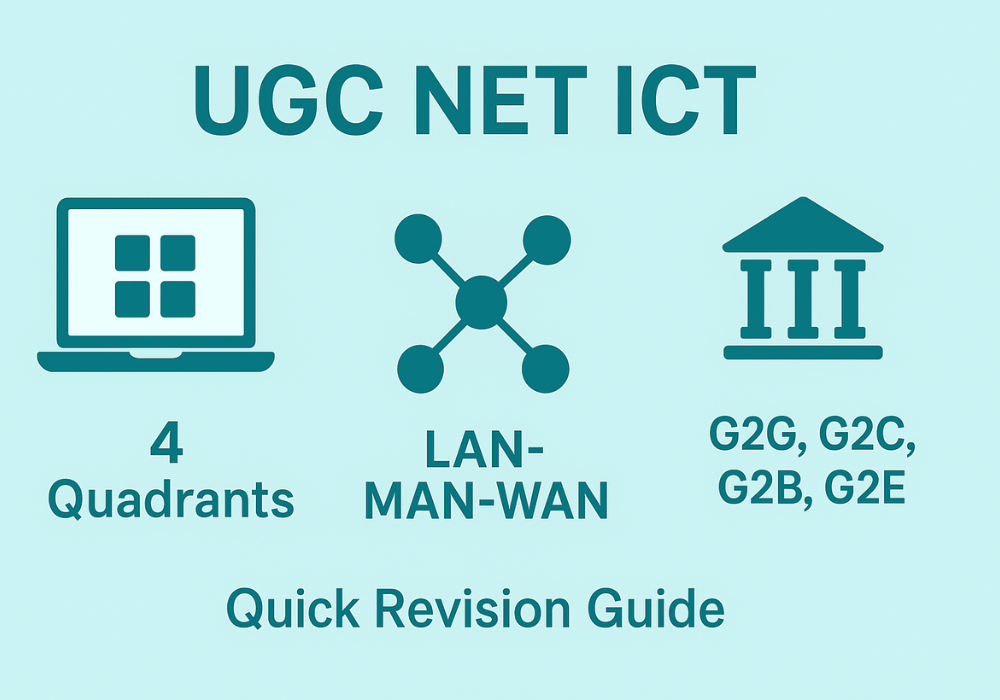
Quick revision guide for UGC NET Paper 1 ICT covering essential abbreviations, SWAYAM, digital initiatives, e-governance models, and exam strategies for high-scoring preparation. This article is written by Neeli Neelay Shah, Senior Legal Content Writer at LawSikho.
If you’re in the final stretch of your UGC NET preparation and need to consolidate your ICT knowledge quickly, this guide is designed exactly for you. Unit 8 on Information and Communication Technology typically contributes 5-6 questions worth 10-12 marks in UGC NET Paper 1, and with focused revision, you can secure most of these marks without spending disproportionate time. This quick revision guide cuts through the noise and delivers exactly what you need to know: essential abbreviations, high-scoring digital initiatives, e-governance fundamentals, and proven exam strategies that work.
Abbreviations and Terminology under ICT: UGC NET Quick Revision
Abbreviations are the building blocks of ICT questions in UGC NET. You’ll encounter at least 1-2 direct questions asking what specific terms stand for, and many other questions assume you already know these basics. Instead of memorizing an exhaustive list, focus on the high-frequency terms that appear repeatedly across exam cycles.
Computer Hardware and Software Abbreviations (CPU, RAM, ROM, OS, BIOS, GUI)
Hardware abbreviations describe the physical components that make up a computer system. The CPU, or Central Processing Unit, functions as the computer’s brain, executing all instructions and processing data. Think of it as the command center where all decisions get made. Within the CPU, the ALU (Arithmetic and Logical Unit) handles calculations, while the Control Unit manages data flow between components.

Memory terms come up frequently in matching questions. RAM (Random Access Memory) is your computer’s short-term memory; it’s volatile, meaning data disappears when power goes off. ROM (Read Only Memory) is permanent storage containing startup instructions. The key distinction examiners test is volatile versus non-volatile: RAM loses data without power, ROM retains it.
Software abbreviations are equally important for your preparation. OS stands for Operating System, the foundational software that manages everything on your computer. BIOS (Basic Input Output System) is the firmware that wakes up your hardware during startup. GUI (Graphical User Interface) is what lets you interact with computers through icons and windows rather than typing commands. Remember these as a connected chain: BIOS starts the computer, OS manages it, and GUI makes it user-friendly.
Networking and Internet Terms for UGC NET (LAN, WAN, HTTP, FTP, TCP/IP, DNS)
Network types are tested through comparison questions, so understanding their scope matters. LAN (Local Area Network) connects computers within a limited area like your home or office building. WAN (Wide Area Network) spans vast distances, connecting computers across cities or countries. The Internet itself is the largest WAN. MAN (Metropolitan Area Network) sits between these two, covering a city or town. A simple way to remember: LAN is your local neighborhood, MAN is your city, WAN is the world.
Protocol abbreviations describe how data moves across networks. HTTP (HyperText Transfer Protocol) governs how web browsers talk to websites; HTTPS adds encryption for security. FTP (File Transfer Protocol) handles file transfers between computers. TCP/IP (Transmission Control Protocol/Internet Protocol) is the fundamental language of the Internet, enabling all devices to communicate. DNS (Domain Name System) translates website names like google.com into numerical IP addresses that computers understand.
VPN (Virtual Private Network) creates secure, encrypted tunnels over public networks, which is why companies use them for remote work security. ISP (Internet Service Provider) is the company that gives you Internet access. URL (Uniform Resource Locator) is simply the address you type to reach a website. These terms appear in questions about Internet infrastructure and how users connect to online resources.
File Formats and Communication Protocols (SMTP, POP3, IMAP, MP3, PDF)
File format abbreviations describe how digital content is stored. PDF (Portable Document Format) preserves document formatting across different systems. MP3 (MPEG Audio Layer 3) revolutionized music by compressing audio files. MP4 handles video content. JPEG uses lossy compression for photographs, while PNG supports transparency and lossless compression. Questions may ask you to match file extensions with their full forms or identify which format suits specific purposes.
Email protocols determine how your messages travel and get retrieved. SMTP (Simple Mail Transfer Protocol) handles outgoing mail; when you hit send, SMTP takes over. For incoming mail, you have two options: POP3 (Post Office Protocol) downloads emails to your device and usually removes them from the server, while IMAP (Internet Message Access Protocol) keeps emails on the server and syncs across all your devices. The practical distinction: POP3 is for single-device users, IMAP is for people checking email on multiple devices.
HTML (HyperText Markup Language) is the coding language for creating web pages. CSS (Cascading Style Sheets) adds styling to HTML. XML (Extensible Markup Language) structures data for storage and transport. These web technologies form the foundation of how Internet content gets created and displayed. Understanding their basic functions helps answer questions about web development and digital content creation.
UGC NET ICT: Digital Initiatives in Higher Education
This section is your highest-scoring opportunity within ICT. Analysis of previous year papers shows that Digital Initiatives contribute a major chunk of all ICT questions. Mastering SWAYAM, its ecosystem, and related platforms can secure you 2-3 questions in every exam. Focus your revision energy here for maximum returns.
SWAYAM and the MOOCs: National Coordinators You Must Remember
SWAYAM stands for Study Webs of Active-Learning for Young Aspiring Minds. It’s India’s homegrown MOOCs (Massive Open Online Courses) platform developed by the Ministry of Education with AICTE and Microsoft. The platform provides free access to quality education from Class 9 through postgraduate levels. Remember the three principles SWAYAM addresses: access, equity, and quality in education.
The platform operates through four quadrants that create a complete learning experience. First comes video tutorials, typically 20 hours of content per course with lectures capped at 30 minutes each. Second is downloadable e-content for reading. Third is self-assessment through quizzes interspersed throughout the course. Fourth is discussion forums for clearing doubts. Questions often test whether you can identify these four quadrants or match them with their functions.
Seven national coordinators manage SWAYAM courses at different educational levels. NPTEL (IIT Madras) handles engineering courses. UGC coordinates postgraduate non-engineering content. CEC manages undergraduate programs. NCERT covers Classes 9-12 for school students. NIOS handles out-of-school learners at school level. IGNOU serves out-of-college students. IIM Bangalore coordinates management courses. A matching question might pair these coordinators with their respective domains, so memorize which coordinator handles which level.

SWAYAM Prabha and Educational DTH Channels
SWAYAM Prabha complements the online platform by delivering education through television for areas with limited Internet access. It consists of 40 DTH (Direct to Home) channels broadcasting educational content round the clock using the GSAT-15 satellite. New content airs for 4 hours daily and repeats 5 more times, letting students watch at convenient times.
The channels are uplinked from BISAG (Bhaskaracharya Institute for Space Applications and Geo-informatics) in Gandhinagar, and INFLIBNET maintains the web portal. Content comes from premier institutions including NPTEL, IITs, UGC, CEC, IGNOU, NCERT, and NIOS. The IIT-PAL channels specifically help Class 11-12 students prepare for JEE through courses in Mathematics, Physics, Chemistry, and Biology.
The key facts to remember: 40 channels, GSAT-15 satellite, BISAG Gandhinagar for uplinking, INFLIBNET for web portal. Questions typically ask about the number of channels, the satellite used, or the organization managing specific aspects. This initiative targets students in remote areas where Internet connectivity remains a challenge.
Digital Libraries and Research Platforms (NDL, e-Shodh Sindhu, INFLIBNET)
The National Digital Library of India (NDL) is a virtual repository providing single-window search access to learning resources. Developed by IIT Kharagpur under NMEICT, it hosts over 125 million digital resources covering all education levels from school to research. Think of it as a massive online library where you can access textbooks, articles, videos, and simulations through one search interface.
e-Shodh Sindhu was created by merging three previous consortia: UGC-INFONET Digital Library Consortium, N-LIST, and INDEST-AICTE Consortium. This unified platform provides access to over 15,000 international electronic journals and e-books for higher educational institutions. Researchers at eligible institutions can access premium content from major publishers without individual subscriptions.
INFLIBNET (Information and Library Network Centre) is an autonomous inter-university centre of UGC that coordinates library networking activities. It manages several key initiatives including the SWAYAM Prabha portal, Shodhganga (completed thesis repository), and e-Shodh Sindhu. N-LIST (National Library and Information Services Infrastructure for Scholarly Content) extends e-resource access to affiliated colleges, providing 6,500+ e-journals and 1.99 + lakhs e-books to institutions that might otherwise lack such resources.
Key Initiatives to Remember (NAD, VIDWAN, e-PG Pathshala, Virtual Labs)
NAD (National Academic Depository) stores academic awards digitally, including degrees, diplomas, certificates, and mark sheets. It enables paperless verification of credentials by employers and institutions. Part of the Digital India initiative, NAD eliminates the hassles of maintaining and producing physical certificates. When questions ask about digital certificate storage or verification, NAD is your answer.
VIDWAN is the expert database containing profiles of scientists, researchers, and faculty working in Indian academic and R&D organizations. Maintained by INFLIBNET, it helps identify peer reviewers, potential collaborators, and experts for various purposes. Think of it as LinkedIn for Indian researchers, but officially maintained and verified.
e-PG Pathshala provides high-quality e-content for postgraduate education across 70 subjects in arts, humanities, and social sciences. It contains over 23,000 modules including text, audio, video, and self-assessment materials. Virtual Labs offers remote access to laboratory experiments, with 205+ labs comprising 1,515 experiments across engineering and science disciplines. Both initiatives address resource gaps in institutions lacking physical infrastructure.
Teacher Training Platforms (ARPIT, DIKSHA, GIAN)
ARPIT (Annual Refresher Programme in Teaching) delivers online professional development for higher education faculty through the SWAYAM platform. It offers 40-hour refresher courses across disciplines, enabling teachers to earn credits for career advancement. This addresses the massive scale of faculty development needs in Indian higher education through online delivery.
DIKSHA (Digital Infrastructure for Knowledge Sharing) is the national platform for school education, providing curriculum-linked learning resources for teachers, students, and parents. While primarily targeting school education, it represents the broader digital education ecosystem and appears in questions comparing educational platforms by their target audiences.
GIAN (Global Initiative of Academic Networks) brings international faculty to Indian institutions for short-term courses. It taps global academic talent to enhance Indian higher education through knowledge exchange and exposure to international practices. Questions may ask you to identify which initiative involves foreign faculty engagement.
e-Governance Models and Applications: UGC NET ICT Quick Revision
E-Governance applies ICT to government functions, transforming how citizens, businesses, and government entities interact. This sub-topic has gained importance in recent exams, with questions focusing on the four interaction models and specific government digital platforms. Understanding the framework helps you categorize any initiative correctly.
Understanding the Four e-Governance Models (G2G, G2C, G2B, G2E)
E-Governance operates through four models based on who interacts with whom. G2G (Government to Government) covers digital interactions between government departments. This includes electronic file management, digital signatures, and inter-departmental communication. The e-Office project exemplifies G2G by enabling paperless file movement across government departments.
G2C (Government to Citizen) initiatives include services directly to citizens through digital platforms. Examples include DigiLocker for document storage, Passport Seva for passport applications, Common Service Centres for rural service delivery, and various online certificate services. This model aims to make government services accessible, transparent, and convenient for citizens.
G2B (Government to Business) streamlines interactions between government and businesses. The GST portal handles tax compliance, GeM (Government e-Marketplace) manages public procurement, and MCA21 facilitates company registration. These platforms reduce compliance burden and improve ease of doing business. G2E (Government to Employee) covers internal operations like payroll management, provident fund systems through EPFO, and employee HR services.
Government to Citizen Initiatives (DigiLocker, Passport Seva, PAN Services)
DigiLocker provides citizens with cloud storage for official documents and certificates. It enables paperless verification through authentic digital documents issued directly by government agencies. Over 5 billion documents have been made available through this platform. When employers or institutions need to verify your credentials, DigiLocker eliminates the need for physical document submission.
Passport Seva transformed passport issuance into a citizen-friendly online system. You can apply online, schedule appointments, track application status, and receive updates digitally. The system significantly reduced processing time and eliminated multiple visits to passport offices. It’s a prime example of how G2C initiatives improve citizen convenience.
PAN (Permanent Account Number) services are delivered through NSDL and UTI Infrastructure Technology Services. Citizens can apply for new PAN cards, make corrections, and verify details online. This digitization streamlined tax administration and reduced paperwork. These three initiatives, DigiLocker, Passport Seva, and PAN services, frequently appear as examples of G2C governance in exam questions.
Digital India and Important Government Platforms
Digital India, launched in 2015, is the umbrella programme driving India’s digital transformation. It’s built on nine pillars covering infrastructure, governance, and empowerment. The infrastructure pillars include Broadband Highways, Universal Mobile Connectivity, and Public Internet Access Programme. Governance pillars cover e-Governance reforms, e-Kranti (electronic service delivery), and Information for All.
BharatNet (formerly National Optical Fibre Network) connects gram panchayats with optical fiber for rural broadband. It’s the world’s largest rural connectivity project, enabling digital services to reach the last mile. Aadhaar, managed by UIDAI, provides a 12-digit unique identification number that enables authentication and eKYC for accessing government services. With over 1.3 billion enrollments, it’s the world’s largest biometric ID system.
GeM (Government e-Marketplace) is the online platform for government procurement, providing transparency and efficiency in public purchases. It eliminates human interface in procurement and enables cashless, paperless transactions. Questions may ask you to identify GeM’s purpose or classify it under the correct e-governance model (G2B).
Cybersecurity Basics for UGC NET (Malware, Phishing, Firewalls)
Cybersecurity questions have increased in recent UGC NET exams, with the June 2025 exam including a question on malware characteristics. Malware (malicious software) encompasses viruses that replicate by inserting into programs, worms that spread without user action, trojans disguised as legitimate software, and ransomware that encrypts data for extortion. Know the basic distinction between these types.
Phishing is a social engineering attack where criminals impersonate trustworthy entities to steal sensitive information through fake emails or websites. Logic bombs are malicious code that activates when specific conditions are met. These threat types represent the human and technical dimensions of cyber attacks that you should be able to identify.
Firewalls act as barriers between trusted internal networks and untrusted external networks, monitoring and controlling traffic based on security rules. Encryption converts data into coded form readable only with the correct key; HTTPS uses encryption to secure web communications. Antivirus software detects and removes malware. Understanding these basic defense mechanisms helps answer security-related questions.
UGC NET ICT Quick Revision: Exam Strategy and Question Patterns
Knowing what to study is only half the battle; knowing how questions appear helps you prepare strategically. This section distills patterns from previous year papers and provides actionable strategies for maximizing your ICT score with limited revision time.
High-Frequency Topics
Digital Initiatives dominate ICT questions. Within this, SWAYAM appears most consistently, with questions testing the four quadrants, seven national coordinators, and free versus paid aspects. NDL, e-Shodh Sindhu, and INFLIBNET follow in frequency. Prioritize these topics if you’re short on time.
Abbreviation questions, Network types (LAN, MAN, WAN) and protocols (HTTP, FTP, SMTP) appear most often. E-Governance questions have increased recently, particularly about the four models and their examples. Cybersecurity concepts, while newer, appeared in June 2025 and likely signal continued emphasis.
The safest strategy allocates your ICT revision time proportionally: spend 40% on digital initiatives, 25% on abbreviations, 20% on e-governance, and 15% on Internet concepts. This mirrors actual question distribution and ensures you’re prepared for the most likely questions.
Common Question Types in ICT Section
Direct factual questions test whether you know what abbreviations stand for or which organization launched specific initiatives. These are straightforward if you’ve memorized the essential terms. Examples include “SWAYAM stands for” or “Which platform has 40 DTH educational channels?”
Matching questions present two columns for pairing. A typical format lists digital initiatives in one column (SWAYAM, NAD, NDL) and their purposes in another (MOOCs platform, academic depository, digital library). Practice these by creating your own matching exercises from the initiatives covered in this guide.
Statement-based questions present two statements for evaluation, asking whether both are true, both false, or one of each. Common traps include partially correct statements. For example: “Statement I: SWAYAM courses are completely free. Statement II: NPTEL is coordinated by IIT Bombay.” (Both are false: SWAYAM certification costs money, NPTEL is IIT Madras.) Read statements carefully for subtle inaccuracies.
Last-Minute Revision for ICT
In your final days, focus on rapid recall rather than learning new material. Create a one-page summary containing the 40-50 essential abbreviations, the 15 key digital initiatives with one distinguishing fact each, and the four e-governance models with two examples each. Review this sheet multiple times daily.
Use the SWAYAM memory chain: four quadrants (Video, e-Content, Self-assessment, Discussion) and seven coordinators (NPTEL-Engineering, UGC-PG, CEC-UG, NCERT-School, NIOS-Out-of-school, IGNOU-Out-of-college, IIMB-Management). For SWAYAM Prabha, remember: 40 channels, GSAT-15, BISAG, INFLIBNET.
Practice 10-15 previous year ICT questions in the last three days. This builds pattern recognition and confidence. Most ICT questions test recognition, not analysis, so systematic memorization combined with question practice yields excellent results. Time yourself to ensure you can answer quickly during the actual exam.
Conclusion
The ICT section offers one of the best scoring opportunities in UGC NET Paper 1 for candidates willing to invest focused effort. With 5-6 questions worth 10-12 marks and content that rewards memorization over complex analysis, you can realistically aim for full marks in this unit. Prioritize digital initiatives (especially SWAYAM and its ecosystem), master the essential 40-50 abbreviations, understand the four e-governance models, and practice previous year questions to recognize common patterns. The strategies in this guide, combined with consistent revision in your final preparation days, will position you to maximize your ICT score when you walk into the exam hall.
To dive deep into the ICT preparation for UGC NET exam, follow this link: https://lawsikho.com/blog/ict-ugc-net/
Other Related Readings: Data Interpretation UGC NET- https://lawsikho.com/blog/data-interpretation-ugc-net/: , Research Aptitude for UGC NET Paper 1: Essential Concepts Simplified (Unit 2): https://lawsikho.com/blog/ugc-net-research-methodology/, Teaching Aptitude for UGC NET Paper 1: Essential Guide for Unit 1 Preparation: https://lawsikho.com/blog/teaching-aptitude-ugc-net-paper-1/
 Serato DJ Crack 2025Serato DJ PRO Crack




 Allow notifications